Your Google Ads and Meta Ads data side by side, on one screen.
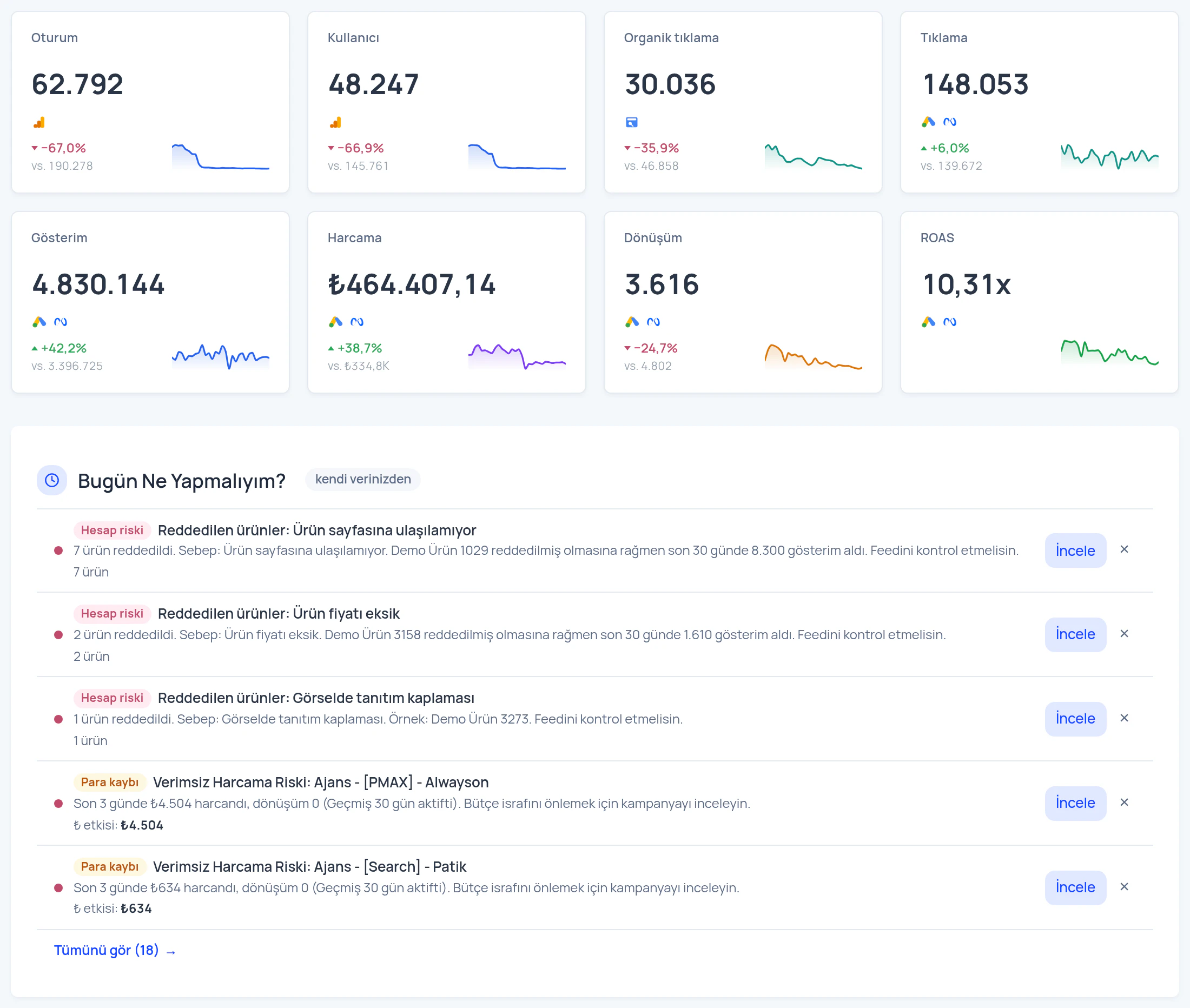
Stop getting lost across separate panels — see every ad channel's data at the same time, in a single dashboard.
How it works
AdsLuma works actively: once your ad accounts are connected, data is pulled automatically and Sentinel monitors your campaigns continuously; you only review the findings.
- 1
Connect your account
Connect Google Ads and Meta Ads securely via OAuth; your campaign data starts flowing into the panel.
- 2
Luma AI monitors
Sentinel automatically detects budget burn, inefficient spend and traffic drops.
- 3
Get actionable advice
Receive direct, applicable recommendations for budget, bids and targeting.
Which feature is in which package?
Identical to the package contents on the pricing page.
| Feature | Trial Package | Professional Package |
|---|---|---|
| Luma AI insights panel in Turkish | ✓ | ✓ |
| Google & Meta Ads integration | ✓ | ✓ |
| Core site crawl & health check | ✓ | ✓ |
| 301 redirect log tracking | ✓ | ✓ |
| Custom Luma AI model training | — | ✓ |
| Unlimited crawling & custom 301 rules | — | ✓ |
| Multi-account management | — | ✓ |
| One-to-one Adsera team support | — | ✓ |
All your performance marketing data in one panel
Compare Google Ads, Meta Ads and your organic traffic at the same time, on the same screen.
Google & Meta Ads integration
Connect your ad accounts and let campaign data collect in the panel automatically — no more assembling reports by hand.
Every channel at once
Sessions, users, clicks, impressions, spend, conversions and ROAS — every channel on one screen, updated in real time.
Sentinel findings
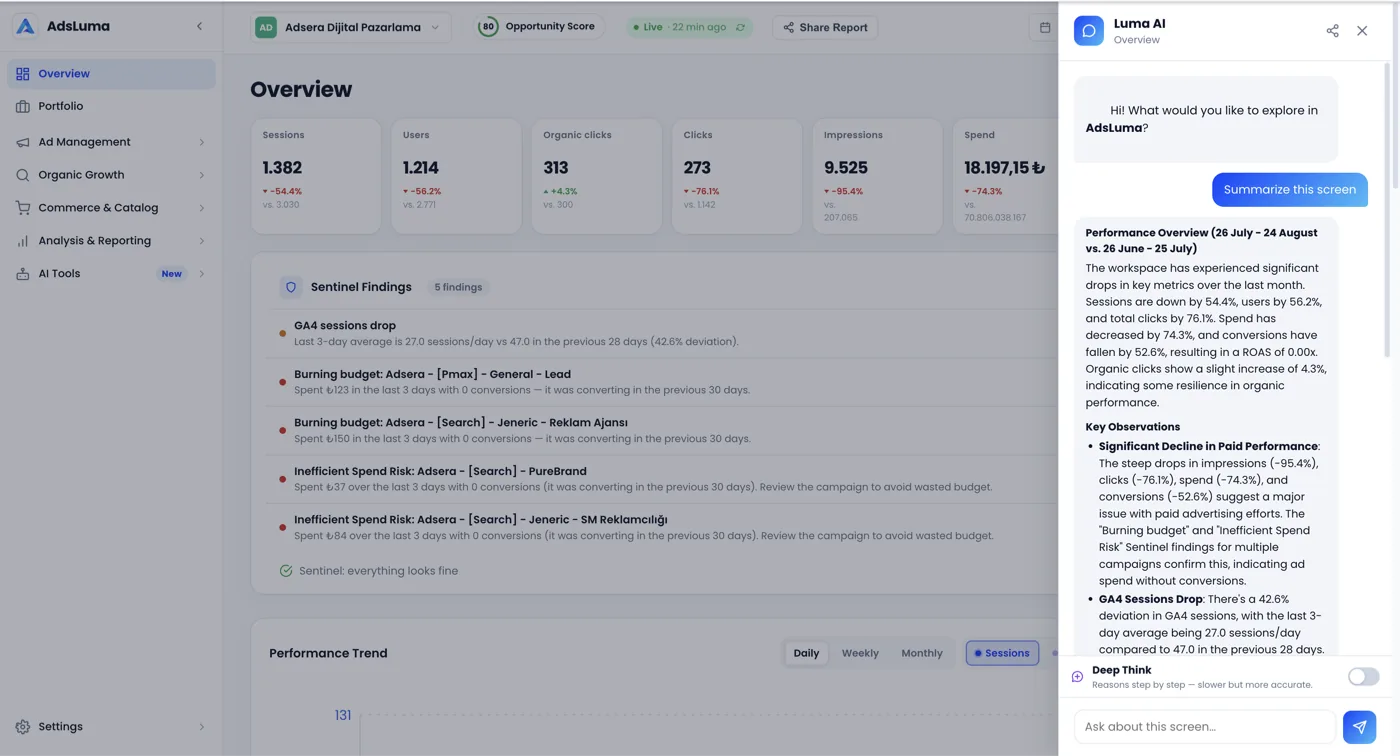
Campaigns burning budget, wasteful spend risks and traffic drops are detected automatically and flagged in the panel before you notice them.
Have Luma AI read the findings, then act right away
Ask Luma AI about any finding Sentinel surfaces — why is budget being burned, which campaign should come first? Get a clear, actionable answer without leaving the panel.
See what your creatives make people feel
Sentiment tags
Every image created or uploaded in Creative Studio is tagged automatically by sentiment, composition and industry.
Tag distribution
See at a glance which emotions dominate your creative library and spot the tone that is missing.
Search by tag
Filter, search and download creatives by tag; find the right visual for a campaign in seconds.
Frequently Asked Questions About Advertising
Still have a question? Message us on WhatsApp or Contact Form
We usually reply within a few hours.
Which ad platforms does AdsLuma support?
Currently you can combine your Google Ads and Meta Ads accounts in one dashboard and view your organic traffic data on the same screen.
What are Sentinel Findings and how do they work?
Sentinel Findings is an alert system that monitors your campaigns automatically; it notifies you when it detects budget burn, inefficient spend risks or sudden traffic drops.
Is it safe to connect my Google Ads and Meta Ads accounts?
Yes. OAuth tokens used for account connections are stored encrypted with AES-256-GCM and refresh tokens are never logged. In agency mode, multi-client data is isolated per tenant.
Which metrics can I see in the dashboard?
You can monitor core performance metrics such as Sessions, Users, Clicks, Impressions, Spend, Conversions and ROAS for all connected channels in real time on one screen.
How does Luma AI advise on my ad spend?
Luma AI analyses Sentinel Findings and campaign data to give direct, applicable recommendations on budget, bids and targeting, highlighting spend at risk of waste.
I manage several client accounts — is AdsLuma suitable for agencies?
Yes. Agency mode supports multi-client (tenant) management and role-based access such as owner, manager and analyst.
How is budget waste or inefficient spend detected?
Sentinel Findings continuously monitor anomalies in campaign performance (spend spikes, conversion drops, targeting deviations) and flag waste risk automatically.
Can I see my organic (SEO) traffic alongside paid ad data?
Yes. The Ads module shows organic traffic data together with Google Ads and Meta Ads on the same dashboard, so you can compare cross-channel performance in one place.
See your ad performance on one screen
Let us walk through the live panel together in a demo call.